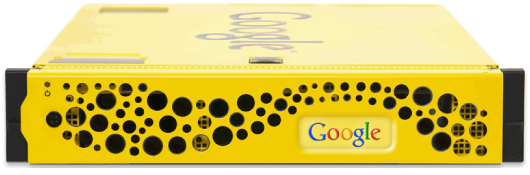
Bring the magic of Google’s unique search quality, language handling and relevance to your users, delivering the simple yet powerful search experience that they have come to expect, with multiple new capabilities.
Blog perpaduan unik antara teknologi modern dan kearifan lokal. info terkini seputar perkembangan teknologi dan AI, analisis tajam mengenai dinamika geopolitik global, serta wawasan mendalam tentang spiritualitas Jawa, termasuk primbon, weton, dan koleksi pribadi lainnya. temukan berbagai tips dan trik menarik untuk kehidupan sehari-hari.
Main Menu
Rabu
Google Search Appliance overview
Bring the magic of Google’s unique search quality, language handling and relevance to your users, delivering the simple yet powerful search experience that they have come to expect, with multiple new capabilities.
Google Site Search: Quick Tour
youtube Google Site Search: Quick Tour
Minggu
Manually adding a Disqus gadget to Blogg
If the Disqus gadget installer isn't working, you have the option of manually installing the gadget on your Blogger site. This will require editing your Blogger template HTML, so it won't work with Dynamic Views templates.
Add a new gadget
- Go to your Blogger "Layout" section and click Add a gadget in the sidebar
- In the Add a Gadget popup, scroll down to find the HTML/Javascript gadget and click the + button
- Enter Disqus as the title and the following code for the content:
<!-- Disqus comments gadget --> - Click save and the window will close
- Click Save arrangement in the Layout viewer
Add the Disqus code to your template
- Go to your blog's Template section and then click the "Edit template" button
- Click inside the text area and search for the widget you just created in your HTML template by pressing Ctrl-F (Command-F on OSX) then typing Disqus. You should find the following line:
<b:widget id='HTML1' locked='false' title='Disqus' type='HTML'> - Change that line to add mobile='yes' to load Disqus on your mobile template. It will look like this when you're done:
<b:widget id='HTML1' locked='false' mobile='yes' title='Disqus' type='HTML'> - Below that locate and DELETE the following code right before the closing tag. The section you're deleting should look like this:
<b:includable id='main'>
<!-- only display title if it's non-empty -->
<b:if cond='data:title != ""'>
<h2 class='title'><data:title/></h2>
</b:if>
<div class='widget-content'>
<data:content/>
</div>
<b:include name='quickedit'/>
</b:includable> - BEFORE the closing
</b:widget>tag, add the following Disqus code (remember to change EXAMPLE to your site's shortname – you should leave both ''' characters on either side of the shortname):<b:includable id='main'>
<script type='text/javascript'>
var disqus_shortname = 'EXAMPLE';
var disqus_blogger_current_url = "<data:blog.canonicalUrl/>";
if (!disqus_blogger_current_url.length) {
disqus_blogger_current_url = "<data:blog.url/>";
}
var disqus_blogger_homepage_url = "<data:blog.homepageUrl/>";
var disqus_blogger_canonical_homepage_url = "<data:blog.canonicalHomepageUrl/>";
</script>
<b:if cond='data:blog.pageType == "item"'>
<style type='text/css'>
#comments {display:none;}
</style>
<script type='text/javascript'>
(function() {
var bloggerjs = document.createElement('script');
bloggerjs.type = 'text/javascript';
bloggerjs.async = true;
bloggerjs.src = 'http://'+disqus_shortname+'.disqus.com/blogger_item.js';
(document.getElementsByTagName('head')[0] || document.getElementsByTagName('body')[0]).appendChild(bloggerjs);
})();
</script>
</b:if>
<style type='text/css'>
.post-comment-link { visibility: hidden; }
</style>
<script type='text/javascript'>
(function() {
var bloggerjs = document.createElement('script');
bloggerjs.type = 'text/javascript';
bloggerjs.async = true;
bloggerjs.src = 'http://'+disqus_shortname+'.disqus.com/blogger_index.js';
(document.getElementsByTagName('head')[0] || document.getElementsByTagName('body')[0]).appendChild(bloggerjs);
})();
</script>
</b:includable> - Click Save template. Assuming there are no errors, Disqus should properly show up on your site now.

- (Optional) Verify that the meta tags in your Blogger Template do not force Internet Explorer to load using IE7 standards. For more information see Troubleshooting Disqus in Internet Explorer 8/9/10
Sabtu
Shareaholic Share Button, Email Button, Bookmark Button Bookmarklet

If your bookmarks bar isn't showing, you might have to enable it via your browser settings. In Safari, select "Show bookmarks bar" or use shortcut Ctrl-Shift+B.
Shareaholic is recommended by Google, Mozilla and Microsoft, and has been featured in premier publications like:
Share links quickly from anywhere with anyone
You'll be able to
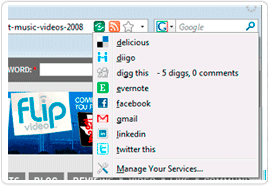
share any webpage, anytime, with services you already know and love like
Facebook, Twitter, LinkedIn, Google Mail, WordPress, and lots more!
You'll always have your favorite social networking, bookmarking,
blogging, and e-mail services at your fingertips.
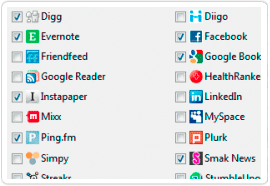
View the complete list of supported services →
Keeps your bookmark bar nice & tidy
No more toolbars,
buttons or bookmarklets piling up in your browser for every site you
use, and no more looking for web publisher provided buttons. Shareaholic
is the only tool you'll need to share.
100% customizable, lightweight, lightning fast
Use Shareaholic on your terms. Quick, clean, and to the point. Shareaholic does not slow down your browser.
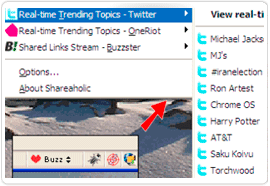
Keep a finger on the pulse of the web
With Shareaholic
you'll be able to find the freshest news, videos and blogs as they
emerge on the real-time web and easily share them on any of your social
networks.
Award winning; highly rated & recommended
We're
fanatical about user experience, design, and improving Shareaholic.
Shareaholic is highly rated by users, and recommended by:
What Our Users Are Saying:
“ As a certified social networking and link-sharing addict, Shareaholic has become my favorite new enabler! ”
- Veronica Belmont
Host of Tekzilla on Revision3
- Veronica Belmont
Host of Tekzilla on Revision3

“ One of my favorite daily-use tools for a while now :) It rocks. ”
- Leslie Poston
Co-Author of "Twitter For Dummies"
- Leslie Poston
Co-Author of "Twitter For Dummies"

“ The Shareaholic extension - works a treat, very nice design. ”
- Tim Weber
Business Editor, BBC News - interactive + radio
- Tim Weber
Business Editor, BBC News - interactive + radio

“ [Shareaholic] is fast; does not slow down Chrome at all. ”
- MG Siegler
TechCrunch
- MG Siegler
TechCrunch

“ [Shareaholic] makes it very easy to submit a web page to all your favorite bookmarking sites. ”
- Kristen Nicole
Lead Writer at Mashable.com
- Kristen Nicole
Lead Writer at Mashable.com

“ You need Shareaholic. ”
- Michael Troiano
Founding CEO of Ogilvy & Mather Interactive
- Michael Troiano
Founding CEO of Ogilvy & Mather Interactive

“ My favorite thing about Shareaholic is that it helps remove the [browser] clutter. ”
- Frank Gruber
Co-founder TECHcocktail
- Frank Gruber
Co-founder TECHcocktail

“ Shareaholic is a sweet social media sharing tool for all major web browsers. ”
- Mark Evans
Organizer of Mesh, Canada's #1 Web conference
- Mark Evans
Organizer of Mesh, Canada's #1 Web conference
-
Browser Tools
- Google Chrome
- Mozilla Firefox
- Internet Explorer
- Safari
- Opera
- Bookmarklet
-
Website & Blog Tools
- Share buttons
- Recommendations
- Analytics
-
Developer Tools
- Share API
- Share Data API
- Open Share Icon
-
Help
- Help Forum
Shareaholic Share Button, Email Button, Bookmark Button Bookmarklet
Justdropped.com User Feedback
Justdropped.com Discussion
Hi Everyone
We are contacting you, as our clients, to ask a small favor. We would like to begin posting testimonials and comments about Justdropped.com. We will do that via this blog posting. We want to hear about your positive experiences, your success stories and how obtaining a domain name increased your business, your market share, even brought you increased revenue that you never dreamed of!
As most or you know, we have been selling domain names to the domain name community for the past eight years. At times we assume everyone knows “justdropped.com“. However, we recognize that many of our domain sales are to new users. Some new users are skeptical to send money over the internet or conduct an online transaction. We try to provide an immediate turnaround time on all domain purchases. In most cases we are able to get the domain name moved over to our clients within minutes. All transactions with Justdropped.com are handled in a professional manner, as you, our customers are our most important asset!
So again we ask you to share your experiences in working with Justdropped.com. We hope they are all positive, but if you have some insight as to how we can serve you better, of course, post that too! We feel your feedback and success stories will help our new users who may be on the fence about conducting an online transaction or obtaining a domain name via Justdropped.com.
We are looking forward to your feedback and wish you continued success as you obtain additional domain names. Please include your website within your comments for some added “link juice”.
Thanks in advance,
Dan Rubin
Justdropped.com
Hi Everyone
We are contacting you, as our clients, to ask a small favor. We would like to begin posting testimonials and comments about Justdropped.com. We will do that via this blog posting. We want to hear about your positive experiences, your success stories and how obtaining a domain name increased your business, your market share, even brought you increased revenue that you never dreamed of!
As most or you know, we have been selling domain names to the domain name community for the past eight years. At times we assume everyone knows “justdropped.com“. However, we recognize that many of our domain sales are to new users. Some new users are skeptical to send money over the internet or conduct an online transaction. We try to provide an immediate turnaround time on all domain purchases. In most cases we are able to get the domain name moved over to our clients within minutes. All transactions with Justdropped.com are handled in a professional manner, as you, our customers are our most important asset!
So again we ask you to share your experiences in working with Justdropped.com. We hope they are all positive, but if you have some insight as to how we can serve you better, of course, post that too! We feel your feedback and success stories will help our new users who may be on the fence about conducting an online transaction or obtaining a domain name via Justdropped.com.
We are looking forward to your feedback and wish you continued success as you obtain additional domain names. Please include your website within your comments for some added “link juice”.
Thanks in advance,
Dan Rubin
Justdropped.com
Langganan:
Postingan (Atom)
-
Khasiat ilmu kebatinan sakti huruf hanacaraka dibalik : nga ta ba ga ma = tidak ada kematian | nya ya ja da pa = tidak ada kesaktian...
-
Amalan Caraka Balik / Amalan Ilmu Carakan Walik / Honocoroko Di Balik Sungguh kekayaan bangsa yang luar biasa, diantaranya adalah ber...
-
TIJI TIBEH ( Mukti Siji Mukti Kabeh one for all ).....dalam langkah Tri Dharma : Mulat Sarira Hangrasa Wani, Rumangsa Melu Handarbeni, W...